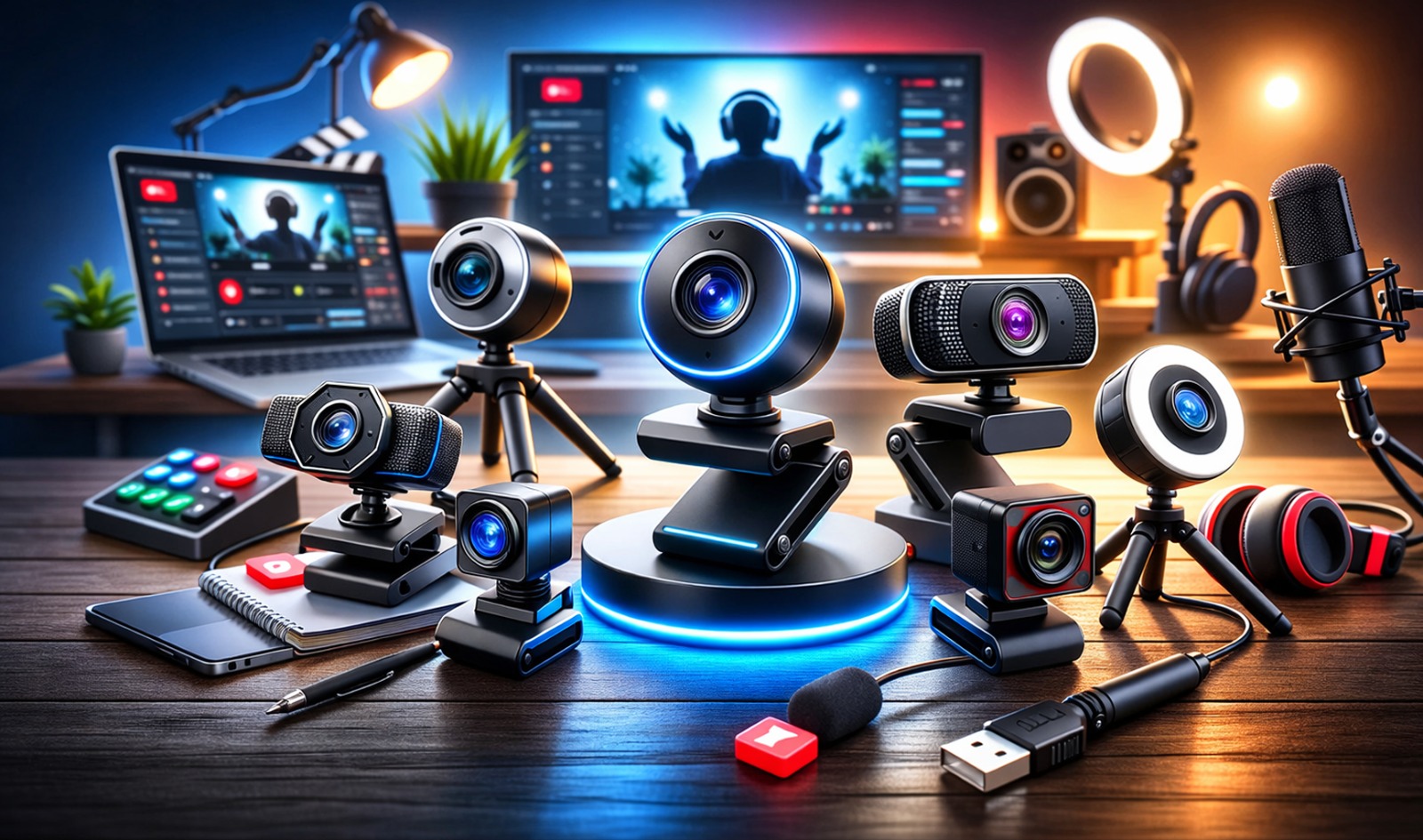
Streaming in 2026 is no longer limited to gamers and tech creators. From online tutors and remote professionals to YouTube vloggers and small business owners, everyone wants sharp video quality without spending a fortune. If you are planning to start live streaming this year, you do not need a high-end studio setup. You just need the right webcam that balances performance, clarity, and price. That is exactly what this guide is here to help you with.
Why a Good Budget Webcam Matters for Live Streaming
Choosing the right webcam can feel confusing when there are so many options online. Some promise 4K clarity, some highlight autofocus, while others talk about built-in microphones. But when your budget matters, you want value, not just features on paper. In this detailed guide, we have handpicked the Best Affordable Webcam for Live Streaming options that deliver solid performance without stretching your wallet.
This is an affiliate guide, which means if you purchase through the links mentioned, we may earn a small commission at no extra cost to you. That helps us continue testing and reviewing products honestly.
How to Choose the Right Budget Webcam in 2026
Before we jump into the top picks, it is important to understand what really matters when buying a webcam for live streaming. Many brands promote flashy features, but not all of them are necessary for beginners. The right choice depends on your content style, lighting setup, and budget. Let us look at the key factors you should consider before making your decision.
1) Resolution and Frame Rate
Resolution affects how clear your video looks. For most streamers, 1080p is more than enough and gives a sharp, professional appearance. Frame rate is equally important. A webcam that supports 30fps works well for talking videos, while 60fps is smoother and better for gaming or movement-heavy content. 4K sounds impressive, but it requires more internet speed and better lighting, so it is not always necessary when you are just starting out.
2) Autofocus and Light Correction
Autofocus keeps your face sharp even if you move slightly during your stream. Without it, the video can look blurry or out of focus. Automatic light correction helps adjust brightness when your room lighting changes. This is especially useful if you do not have professional studio lights. A webcam with good low-light performance ensures your video stays clear and balanced even in average indoor lighting conditions.
3) Built-in Microphone
Audio quality matters just as much as video quality. While using an external microphone is always the best option for clear sound, a webcam with a decent built-in mic can work well in the beginning. Look for webcams with noise reduction features, especially if you stream from home. Clear voice pickup helps your audience stay engaged and reduces the need for extra equipment during your early streaming days.
4) Field of View (FOV)
Field of View determines how much of your background is visible. A wider angle captures more of the room, which is useful for group calls or showing your setup. A narrower angle focuses more on your face, which works better for solo streaming. Most budget webcams offer a field of view between 65 to 90 degrees. Choose one based on how much space you want to show during your live sessions.
5) Compatibility and Software Support
Before buying, make sure the webcam works smoothly with platforms like Zoom, OBS, YouTube Live, and Twitch. Most modern webcams are plug-and-play, but software support can give you extra control over brightness, contrast, and color settings. If you plan to customize your video look, choosing a webcam with dedicated software can make your streaming setup more flexible and professional.
6) Build Quality and Design
A webcam may look small, but build quality still matters. A sturdy clip helps it stay firmly attached to your monitor or laptop. Some webcams also come with a tripod mount option for better positioning. A privacy shutter is another helpful feature, giving you peace of mind when the camera is not in use. A well-built webcam lasts longer and feels more reliable during daily use.
7) Internet Speed and System Requirements
Even the best webcam will not perform well if your internet connection is slow. Streaming in 1080p requires stable upload speed to avoid lag or buffering. Also, check your computer’s specifications. Higher resolutions like 4K need more processing power. Matching your webcam quality with your internet speed and system capability ensures smooth and stable live streaming without technical issues.
Now that you understand what features truly matter, let us explore the top 10 budget webcams you can confidently consider in 2026.
1) Logitech C922x HD Pro PC Webcam
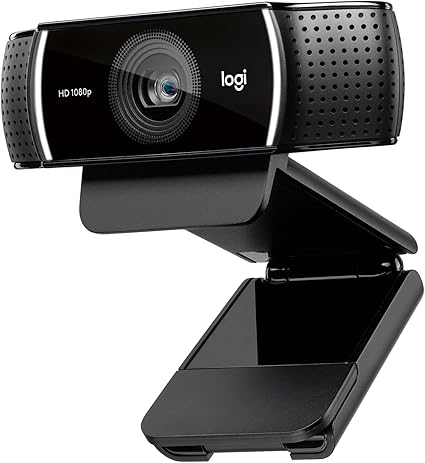
The Logitech C922x HD Pro PC Webcam has been a favorite among beginner streamers for years, and even in 2026, it continues to hold strong. It offers 1080p video at 30fps and 720p at 60fps, which is perfect for smooth live streaming.
This webcam is especially popular with gaming streamers who want crisp video without lag. It also performs well in moderate lighting conditions and offers reliable autofocus.
2) Microsoft Q2F-00013 LifeCam Studio
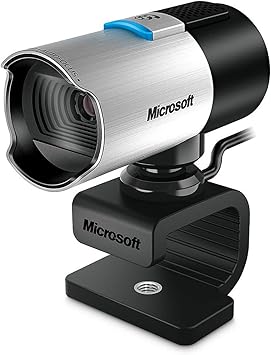
The Microsoft Q2F-00013 LifeCam Studio is designed with simplicity and durability in mind. It offers 1080p recording and 720p live streaming support with a wide-angle lens that captures more of your background.
The build quality feels premium for the price, and the TrueColor technology adjusts brightness automatically.
3) Logitech 4K Webcam
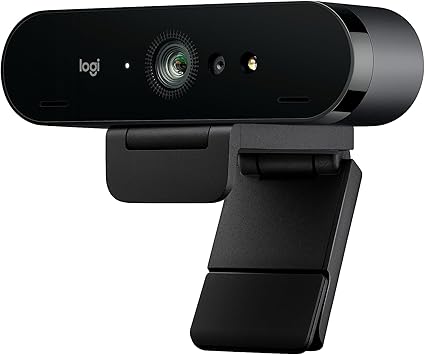
If you want ultra-clear video without entering premium pricing territory, the Logitech 4K Webcam is worth considering. It delivers sharp 4K clarity and excellent HDR performance.
Even if you stream at 1080p, the 4K sensor helps with sharper downscaled output.
4) Angetube Streaming 1080P HD Webcam
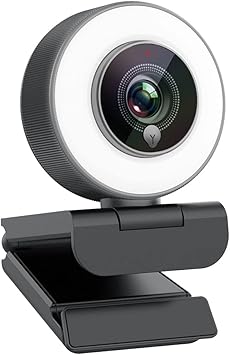
The Angetube Streaming 1080P HD Webcam is a budget-friendly option that surprises many users. It offers 1080p resolution with autofocus and built-in light correction.
This webcam works well for online classes, interviews, and small business live sessions.
5) NexiGo StreamCam N930E
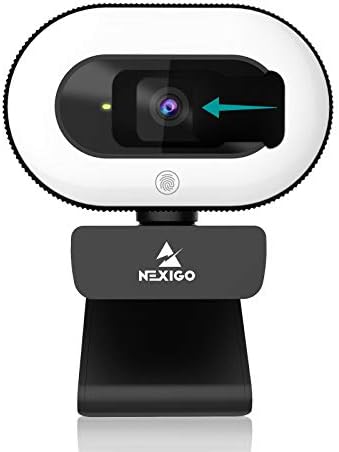
The NexiGo StreamCam N930E comes with its own software support, allowing you to adjust brightness, contrast, and sharpness manually. That level of control is impressive at this price point.
It delivers clear 1080p video and works smoothly across multiple platforms.
6) Razer Kiyo X Full HD Streaming Webcam
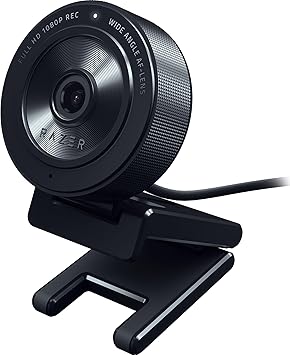
The Razer Kiyo X Full HD Streaming Webcam is designed especially for streamers. While it does not include the signature ring light of earlier versions, it delivers sharp 1080p video with strong color accuracy.
The image quality is smooth and professional-looking, especially for gaming and YouTube streaming.
7) Logitech Brio 101 Full HD 1080p Webcam
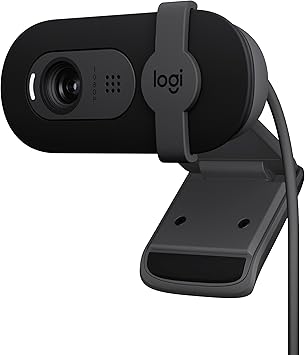
The Logitech Brio 101 Full HD 1080p Webcam is one of the newer affordable models from Logitech. It focuses on simple usability and clear video for meetings and streaming.
It includes auto-light balance and a privacy shutter, which is useful for security.
8) EMEET C960 4K Webcam
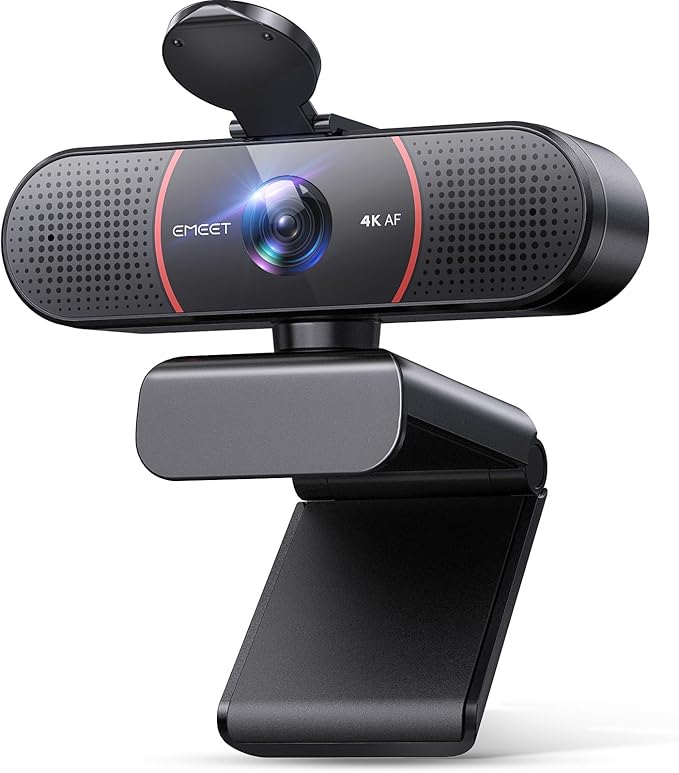
The EMEET C960 4K Webcam is gaining popularity among budget creators who want higher resolution. It offers 4K recording and noise-reduction microphones.
It performs surprisingly well for its price bracket and works smoothly for webinars and streaming.
9) Logitech C270 HD Webcam
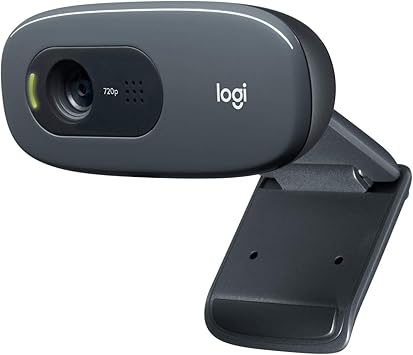
The Logitech C270 HD Webcam is one of the most affordable options available. It offers 720p resolution and basic automatic light correction.
While it is not designed for professional streaming, it is perfect for beginners who want to test the waters.
10) Logitech C920x HD Pro PC Webcam
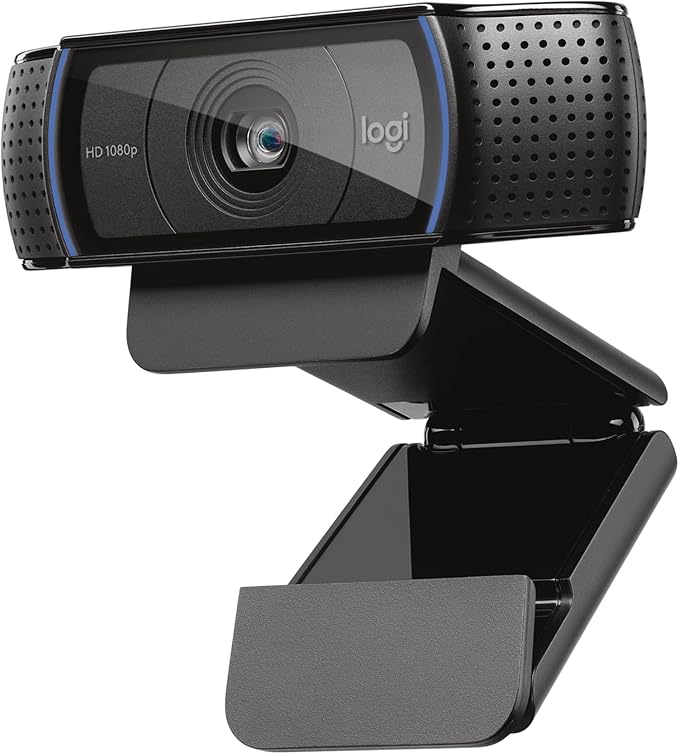
The Logitech C920x HD Pro PC Webcam remains one of the most recommended webcams in the streaming community. It offers 1080p Full HD video, sharp autofocus, and dual microphones.
It delivers balanced performance for gaming, YouTube, Zoom, and business streaming.
Final Buying Advice for 2026
In 2026, live streaming is more competitive than ever. Clear video quality builds trust, improves engagement, and helps you grow faster. But remember, you do not need the most expensive camera to succeed. Lighting, background setup, and audio also matter.
When choosing the Best Affordable Webcam for Live Streaming, think about your content style. Are you gaming, teaching, attending meetings, or hosting webinars? Pick the webcam that matches your use case rather than chasing the highest resolution.
All the products listed above are carefully selected based on value, reliability, and user satisfaction. As this is an affiliate guide, we recommend checking the latest prices and offers through the links provided before making a decision.
Start simple, focus on consistency, and upgrade when your channel grows. The right webcam today can be the first step toward building your online presence in 2026.
Leave a Comment