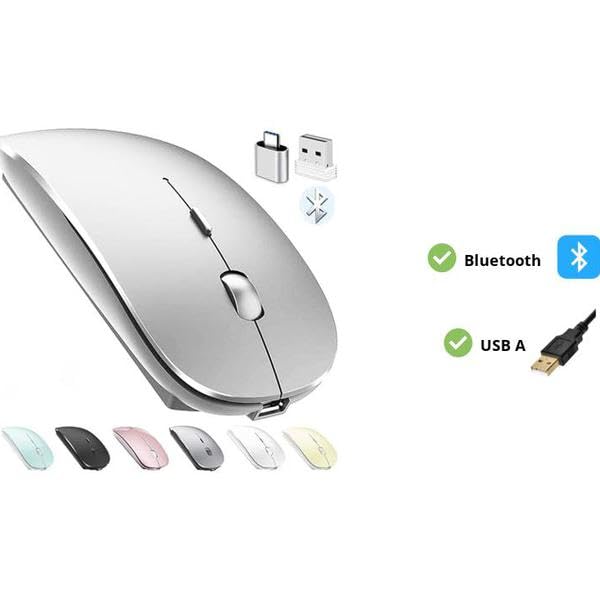
Rechargeable Bluetooth Mouse for Laptop iPad Pro iPad Air MacBook Pro MacBook Air Wireless Mouse for Laptop Mac MacBook Chromebook Win8/10
in INPUT MOUSE
Product Description
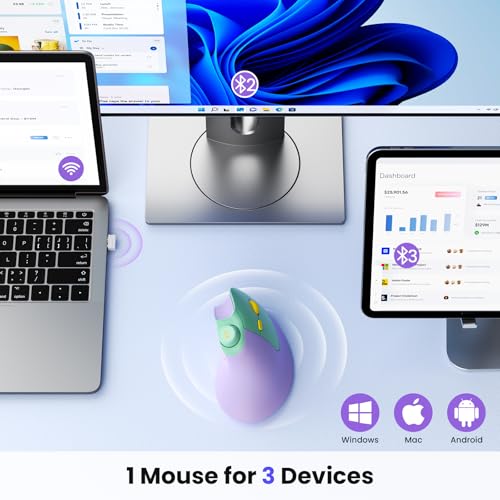
Choose PEIBO dual-mode Bluetooth wireless mouse (BT5.2+BT3.0+2.4Greceiver+USB C adapter) which is more conducive to our connection and use on any computer device HOW to use Bluetooth mouse mode: First slide the mouse switch to Bluetooth mode (blue light) > open laptop system preferences settings> turn on Bluetooth function > when laptop Bluetooth is searching for nearby Bluetooth devices> you need to press and hold the blue button at the bottom of the mouse '' for 3 -4 seconds The blue light flashes . > Bluetooth search there appears Bluetooth 5.2 mouse>click to connect ""BT5.2 mouse or BT3.0 mouse (BT3.0 for old laptop)"" > connection is successful How to use mouse 2.4G USB receiver mode: First switch the mouse switch to 2.4G mode (green light)> Then remove the USB receiver from the slot on the bottom of the mouse > Plug the USB receiver into the USB port of your laptop plug and play.(Works with all USB ports and USB c Laptop and desktop ports
Rechargeable Bluetooth Mouse for Laptop iPad Pro iPad Air MacBook Pro MacBook Air Wireless Mouse for Laptop Mac MacBook Chromebook Win8/10 Price in USA
$11.96
Amazon